

 HANDS ON SharePoint
 HANDS ON Teams
 HANDS ON Lists
 HANDS ON tek
 M365 Admin
Writing Microsoft Forms Responses into Microsoft Lists with Power Automate
Sometimes Microsoft 365 gives us overlapping features, and it’s easy to wonder which one to pick. Microsoft Lists has its own form experience, so why should you use Microsoft Forms to collect information and write the responses into a List?
The short answer: because Forms does things Lists can’t.
Why Use Microsoft Forms Instead of the Built‑In List Form?
Accept anonymous submissions
List forms only work for authenticated users. If you need to collect information from external users, guests, event attendees, or people without Microsoft 365 accounts, Microsoft Forms is the only option.
Prefill the form for a smoother user experience
Forms supports URL parameters that prefill answers. This is perfect for:
- Sending users a personalised link with their name, project, or team already filled in
- Reducing typing and errors
- Making the process faster and more user friendly
Step-by-Step: Creating the Flow
The setup is simple: Microsoft Form → Power Automate Flow → Microsoft List.
The form collects responses, the flow receives them, and the List becomes your central system of record.
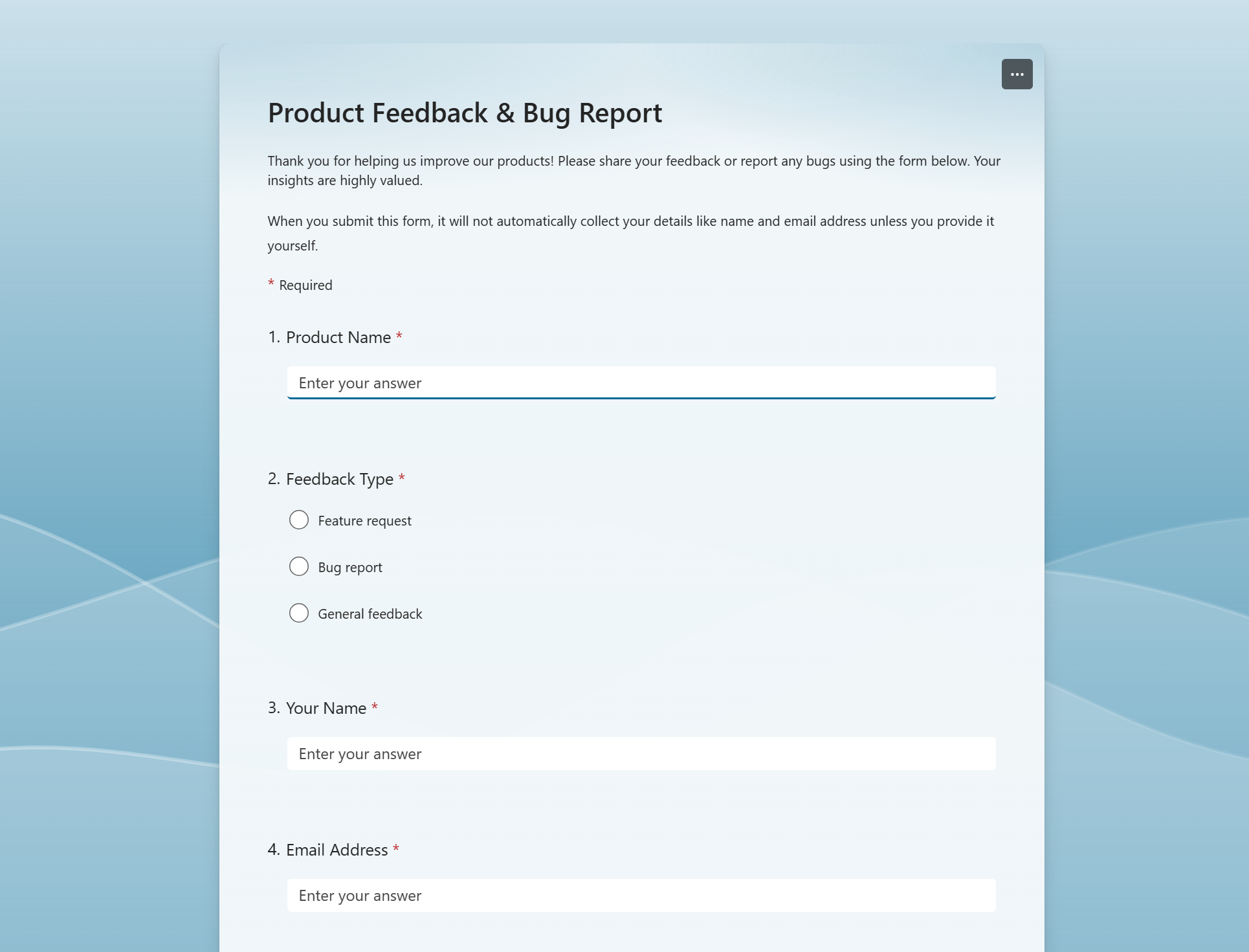
Create your Form
- Go to forms.microsoft.com
- Build the form with the fields you need
- Use short, consistent field names (helps later when mapping values)
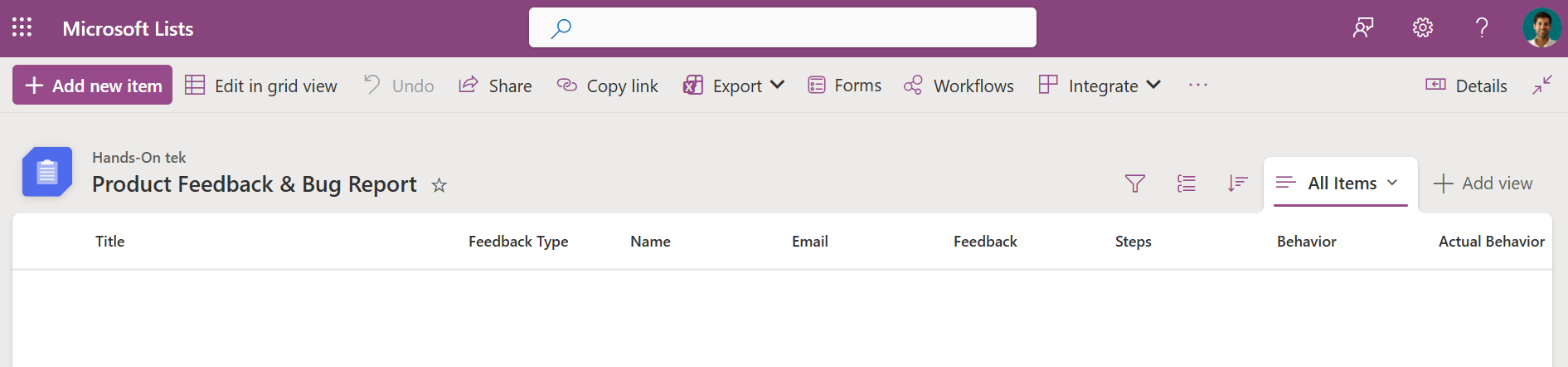
Create the List
- Go to Microsoft Lists or SharePoint
- Create a List with matching columns (Text, Choice, Number, Date, etc.)
- Ensure column names correspond logically to the Form questions
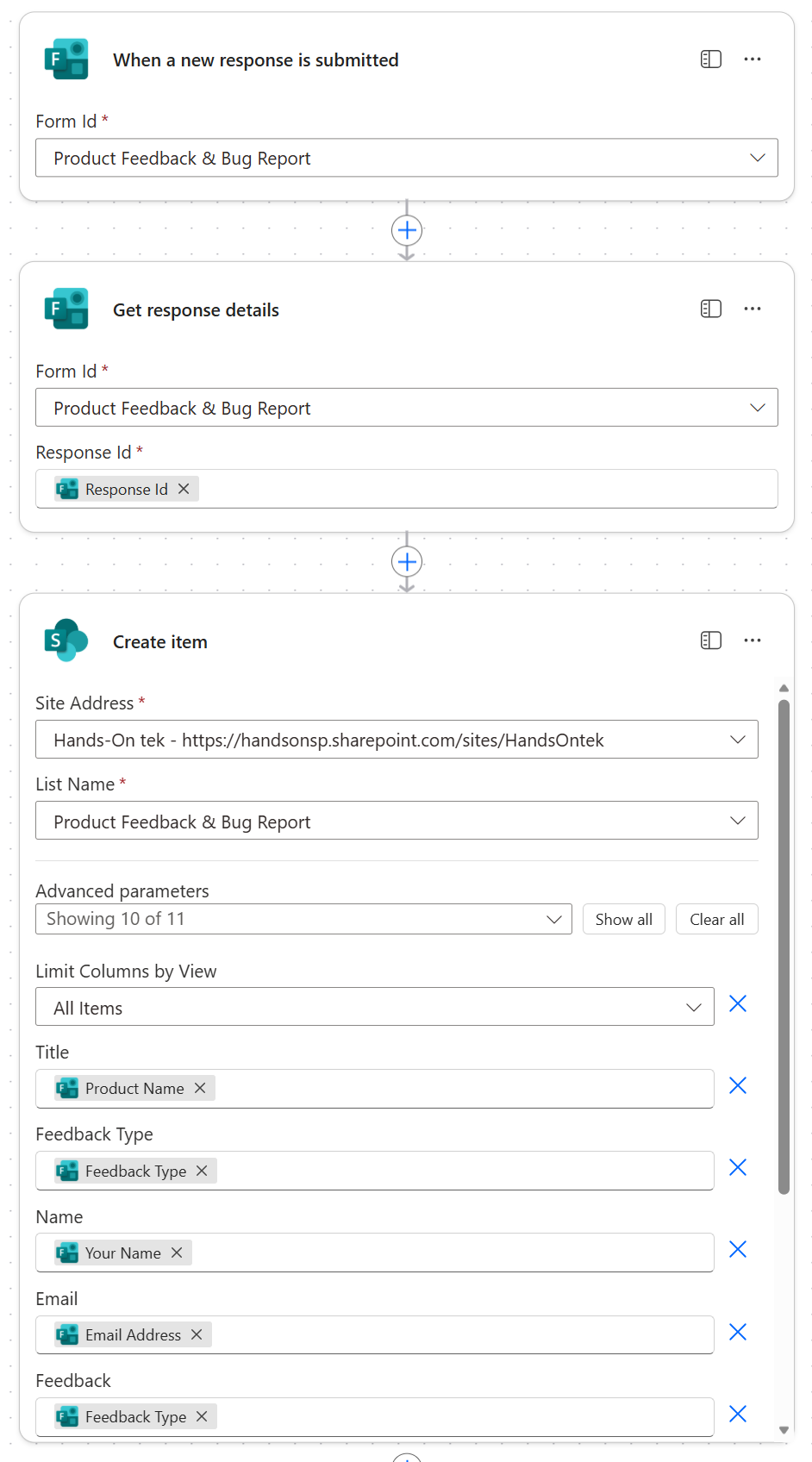
Create the Power Automate Flow
Open Power Automate → Automated cloud flow.
Trigger: “When a new response is submitted” (Microsoft Forms)
- Select your form
- Add Get response details (mandatory so you can access the answers)
Action: “Create item” (SharePoint Lists)
- Select your site and List
- Map each Form answer to the corresponding List column, like:
- Title ← Response: Name
- Project ← Response: Project
- Comments ← Response: Feedback
Why This Pattern Works
This combination gives you:
- A public, simple intake experience (Forms)
- A structured, enterprise-ready backend (Lists)
- Automation, governance, and integration (Power Automate)
It’s one of the most reliable patterns for surveys, registrations, onboarding, feedback loops, asset requests, and any process that needs external participation.






No comments yet